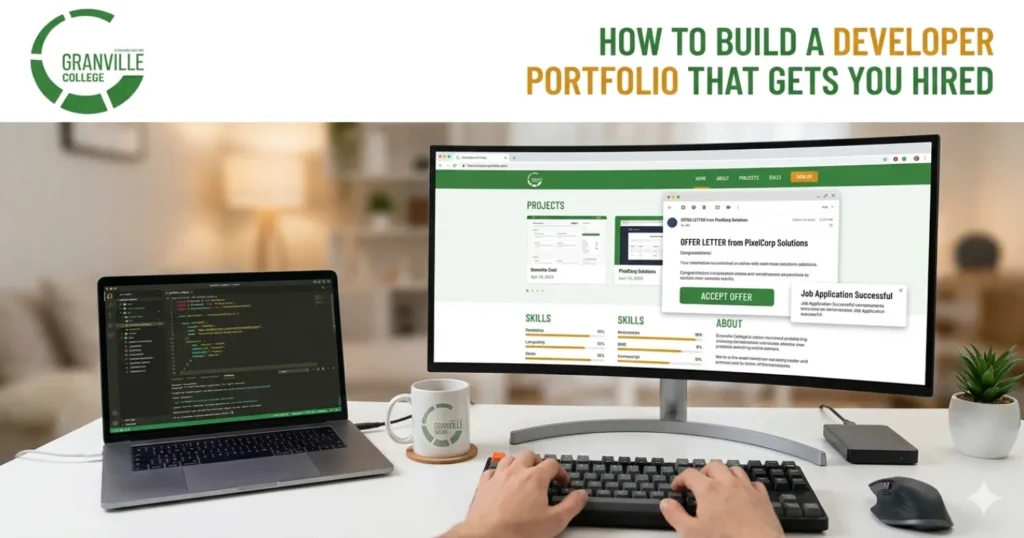
A strong developer portfolio can do what a resume alone often cannot: show how you think, how you build, and how you solve problems. GitHub’s own documentation encourages developers to use their profile to showcase projects, contributions, skills, and experience for hiring managers, while a polished profile README and selected projects help employers quickly understand your technical strengths.
That matters even more in a market where technical roles can be competitive and well paid. In British Columbia, Job Bank reports software developer wages ranging from $31.25 to $84.13 per hour, with a median of $52.40 per hour. When the opportunity is that meaningful, your portfolio needs to work as proof, not just decoration. (Job Bank)
The good news is that you do not need 20 projects, a flashy animation-heavy site, or years of experience to build a developer portfolio that gets attention. What you do need is clarity, relevance, and evidence.
Quick answer
A developer portfolio that gets you hired should include a clear personal introduction, 3 to 5 well-chosen projects, live demos, clean GitHub repositories, strong READMEs, an explanation of your role and decisions, and proof that you understand usability, accessibility, and performance. GitHub recommends using your profile to present your best work, while MDN and Chrome’s developer guidance emphasize accessibility, usability, and performance as core qualities of professional web work.
What is a developer portfolio?
A developer portfolio is a curated collection of your work that helps employers see what you can build and how you work. In most cases, it includes:
- A personal website or landing page
- Links to your GitHub profile
- 3 to 5 featured projects
- Project explanations and screenshots
- Live demos or deployed applications
- Contact information
- A short professional summary
GitHub describes your profile page as a place where people can learn about you, see your interests, and view your projects and contributions. It also recommends using your profile to help hiring managers understand your technical skills during a job search.
Why a developer portfolio matters more than ever
Employers do not just hire developers based on what tools they list. They hire people who can apply those tools to real problems. A developer portfolio helps bridge the gap between “I learned this” and “I can use this.”
It also gives you a chance to stand out from applicants with similar coursework or similar entry-level resumes. A hiring manager may read ten resumes that all mention JavaScript, React, SQL, or Python. A portfolio shows which candidate can turn those tools into a usable product, explain the trade-offs, and write maintainable code.
This is especially important for students, new graduates, and career changers. If you do not yet have years of industry experience, your portfolio becomes your proof of readiness.
Start with a clear homepage
Your homepage should answer three questions within seconds:
- Who are you?
- What kind of developer are you?
- What should the visitor look at next?
GitHub’s guidance for job seekers recommends a short professional bio that quickly tells employers who you are and what kind of work you want. That same idea applies to your portfolio homepage. A vague opening like “Welcome to my website” wastes valuable space. A better version says something specific, such as:
“I’m a junior full stack developer building fast, accessible web applications with React, Node.js, and PostgreSQL.”
Then add one strong call to action, such as:
- View Projects
- See My GitHub
- Download Resume
- Contact Me
Your homepage does not need to be long. It needs to be useful.
Choose fewer projects, but make them stronger
One of the biggest mistakes in a developer portfolio is including every assignment, tutorial, or unfinished experiment. Hiring teams usually learn more from three strong projects than from twelve weak ones.
A better approach is to feature projects that show range. For example, choose one project that shows front-end skill, one that shows back-end or database work, and one that shows real-world problem solving.
A smart project mix
| Project type | What it proves | Example |
| Front-end project | UI, responsiveness, accessibility | Event booking site, dashboard, landing page |
| Full stack project | End-to-end thinking | Job board, task manager, e-commerce app |
| Problem-solving project | Logic and practical thinking | API tool, data visualizer, automation app |
| Team or client-style project | Collaboration and communication | Group capstone, redesign for a local business |
A strong developer portfolio usually shows both technical range and judgment. You are not trying to prove you can build everything. You are proving you can build the right things well.
What every project page should include
Many portfolios fail not because the project is weak, but because the explanation is weak. A recruiter should not have to guess what the app does or why it matters.
For each featured project, include these sections:
1. Project summary
Explain the product in 2 to 3 sentences. What problem does it solve? Who is it for?
2. Your role
Say what you did. Did you build the front end, design the database, connect the API, or handle deployment?
3. Tech stack
List the key tools, but keep it relevant.
4. Key features
Highlight what matters most.
5. Challenges and solutions
This is where employers see your thinking. What broke? What did you change? What did you learn?
6. Results or next steps
Did you improve load time, usability, or workflow? Are there future features planned?
This turns your developer portfolio from a gallery into a professional review of your work.
Your GitHub matters almost as much as your portfolio site
A portfolio site may get the first click, but GitHub often gets the second. GitHub explicitly recommends using your profile in job searches, adding a professional bio, creating a profile README, and showcasing your best projects so hiring managers can understand your technical skills.
That means your GitHub should not look neglected. Clean it up.
What to improve on GitHub
- Write a short, professional bio
- Add a profile picture
- Link your portfolio website
- Pin your best repositories
- Write clear READMEs
- Remove or archive unfinished clutter
- Use descriptive repository names
GitHub also notes that your profile README gives you more flexibility than a short bio and can help you showcase skills and interests more creatively.
A messy GitHub profile can weaken a strong portfolio. A clean GitHub profile reinforces it.
Make your portfolio site itself a proof of skill
Your developer portfolio should not just talk about quality. It should demonstrate it.
MDN says modern web development should reflect values such as accessibility, usability, performance, sustainability, and community, and frames those fundamentals as important for employability and longevity in the industry. Chrome’s Lighthouse documentation also points developers to performance opportunities and diagnostics to improve site quality.
That means your portfolio should be:
Fast
Do not overload your site with giant images, unnecessary motion, or heavy libraries.
Responsive
Make sure it works properly on mobile, tablet, and desktop.
Accessible
Use semantic HTML, clear headings, keyboard-friendly navigation, readable contrast, and meaningful labels.
Easy to scan
Use clear sections, short paragraphs, and strong project cards.
Stable
Broken links, missing images, and failed demos damage trust quickly.
Accessibility is not optional
A lot of entry-level developers treat accessibility as extra credit. Employers increasingly see it as part of professional quality.
MDN explains that ARIA provides roles and attributes that can make web content more accessible, especially for web applications, but it also warns that poor ARIA use can create more problems. In practice, that means you should rely on strong semantic HTML first and use ARIA carefully and correctly.
On a portfolio site, accessibility can show up in simple ways:
- Visible focus states
- Clear button labels
- Alt text on meaningful images
- Form labels that work properly
- Readable colour contrast
- Structured heading order
A portfolio that is visually impressive but frustrating to use sends the wrong signal.
Performance can influence first impressions
Your site does not need to be perfect, but it should feel reliable. Chrome’s Lighthouse guidance encourages developers to use performance reports, opportunities, and diagnostics to understand what needs improvement.
Here are practical ways to improve performance:
- Compress images
- Lazy-load heavy assets where appropriate
- Reduce unused JavaScript
- Avoid auto-playing media
- Use efficient fonts
- Test with Lighthouse before publishing
If your portfolio takes too long to load, recruiters may never stay long enough to see your best work.
Tailor your portfolio to the role you want
A developer portfolio should help an employer imagine you in the job they are hiring for.
If you want front-end work, emphasize:
- Interface quality
- Responsive design
- Accessibility
- State management
- Component thinking
If you want back-end work, emphasize:
- APIs
- Authentication
- Databases
- Performance
- Architecture decisions
If you want full stack work, show how both layers connect.
If you want mobile or app-focused roles, show deployment, UX decisions, and real user flows.
Your portfolio does not need to appeal to every employer. It should appeal strongly to the right employer.
Show process, not just polish
Many students think hiring teams want perfect projects. In reality, they often want evidence of growth, debugging, and decision-making.
That is why strong software developer portfolio examples often include case-study style writing. Instead of only showing the final interface, explain:
- What the original problem was
- What constraints you had
- What trade-offs you made
- What you would improve next
This helps employers see that you can think like a working developer, not just finish tutorials.
Include one project with real-world context
If possible, include at least one project that feels grounded in a real need. That could be:
- A booking app for a local business
- A volunteer project for a community group
- A student management tool
- A budgeting dashboard
- An internal workflow tool
- An accessibility-focused redesign
Real-world context makes a developer portfolio feel more credible because the work reflects actual users, practical constraints, and clearer goals.
Common mistakes that weaken a developer portfolio
Here are the biggest problems that can hold you back:
Too many weak projects
More is not better if the work feels repetitive or unfinished.
No live demos
If everything is code-only, non-technical reviewers may struggle to understand the value.
No explanation
A recruiter should not need to reverse-engineer your thinking.
Tutorial clones with no originality
Tutorials can help you learn, but your featured work should include your own decisions.
Broken links
Always test everything before sharing.
Poor mobile experience
A portfolio that fails on phones looks unfinished.
No contact path
Make it easy for employers to reach you.
A simple developer portfolio checklist
Before you publish, ask yourself:
| Checklist item | Yes / No |
| Clear headline explaining who you are | |
| 3 to 5 strong featured projects | |
| Live demos and GitHub links | |
| Strong README for each key project | |
| Mobile-friendly design | |
| Fast load time | |
| Accessible navigation and headings | |
| Contact form or email link | |
| Resume link | |
| No broken links or placeholder text |
If you can confidently check most of these, your developer portfolio is already stronger than many entry-level examples online.
Building these skills as a student
If you are still learning, building a portfolio is one of the smartest ways to turn education into employability. Granville College’s Web and Mobile Application Development Diploma is a 48-week, 960-hour program offered in Vancouver and Surrey, and the college says it is approved by the Private Training Institutions Regulatory Unit (PTIRU). Granville describes the program as combining theory with hands-on experience in web and mobile application development, with career paths such as Junior Web Developer, Front-End Development Assistant, Back-End Development Assistant, Full Stack Development Assistant, and Application Support Technician. (Granville College)
That kind of hands-on training matters because a developer portfolio becomes much easier to build when you are regularly creating real projects, documenting your work, and practising deployment, design decisions, and debugging.
Final thoughts
A developer portfolio that gets you hired is not the one with the fanciest animation or the most repositories. It is the one that makes your skills easy to trust.
Show your best work. Explain your decisions. Keep your GitHub clean. Make your portfolio site fast, accessible, and easy to use. Give employers proof that you can build for real users, not just pass assignments.
If you do that, your portfolio stops being a side project and starts becoming your strongest job search asset.
FAQs
-
What is a developer portfolio?
A developer portfolio is a personal site or curated project collection that shows employers your coding skills, project quality, problem-solving, and technical thinking through live demos, GitHub links, and clear explanations.
-
How many projects should a developer portfolio include?
Most entry-level portfolios work best with 3 to 5 strong projects. That is enough to show range without overwhelming the reviewer. Quality, originality, and explanation matter much more than a long project list.
-
Do I need a personal website if I already have GitHub?
GitHub is essential, but a personal website gives you more control over design, storytelling, and navigation. The best setup is usually a portfolio site supported by a clean GitHub profile and pinned repositories.
-
What makes a project strong enough for a developer portfolio?
A strong project solves a clear problem, works reliably, includes a useful README, and shows your decisions. It should demonstrate practical skills, not just tutorial copying or unfinished experimentation.
-
Should I include tutorial projects in my developer portfolio?
You can include one if you heavily improved it, but avoid filling your portfolio with basic tutorial clones. Employers want to see originality, judgment, and proof that you can adapt knowledge to real-world problems.
-
How important are READMEs in a developer portfolio?
READMEs matter a lot. They help recruiters and technical reviewers understand the project quickly, including purpose, stack, setup, features, and your role. A weak README can make a good project look unfinished.
-
Does accessibility matter on a developer portfolio site?
Yes. Accessibility shows professionalism and care for users. Clear headings, semantic HTML, keyboard-friendly navigation, readable contrast, and good labels help your site feel credible to both employers and users.
-
How do I make my developer portfolio stand out?
Choose relevant projects, explain your process, show live demos, keep your design clean, and tailor your featured work to the role you want. Clear thinking and polished execution stand out more than visual gimmicks.
-
Should I tailor my developer portfolio for front-end or back-end roles?
Yes. A tailored portfolio is stronger than a generic one. Front-end roles should highlight interface quality and accessibility, while back-end roles should emphasize APIs, databases, logic, and architecture decisions.
-
What should I put on my portfolio homepage?
Your homepage should quickly say who you are, what kind of developer you are, and where the visitor should go next. Add a short summary, one strong call to action, and easy access to projects and contact details.
-
Learn more about Granville College.
Vancouver: Suite 600 & 700, 549 Howe Street, Vancouver, BC V6C 2C2.
Surrey: 13402-104 Avenue, 2nd Floor, Surrey, BC V3T 1V6.
Call (604) 683-8850 or (604) 682-7115. -
Can a student build a strong developer portfolio before graduating?
Yes. In fact, students often gain an advantage by building while they study. School projects, capstones, and independent practice can become strong portfolio pieces when they are refined, documented, and deployed well.